Brightcove Video Cloud Professional/Enterprise
inplayer 2014 | Confidential
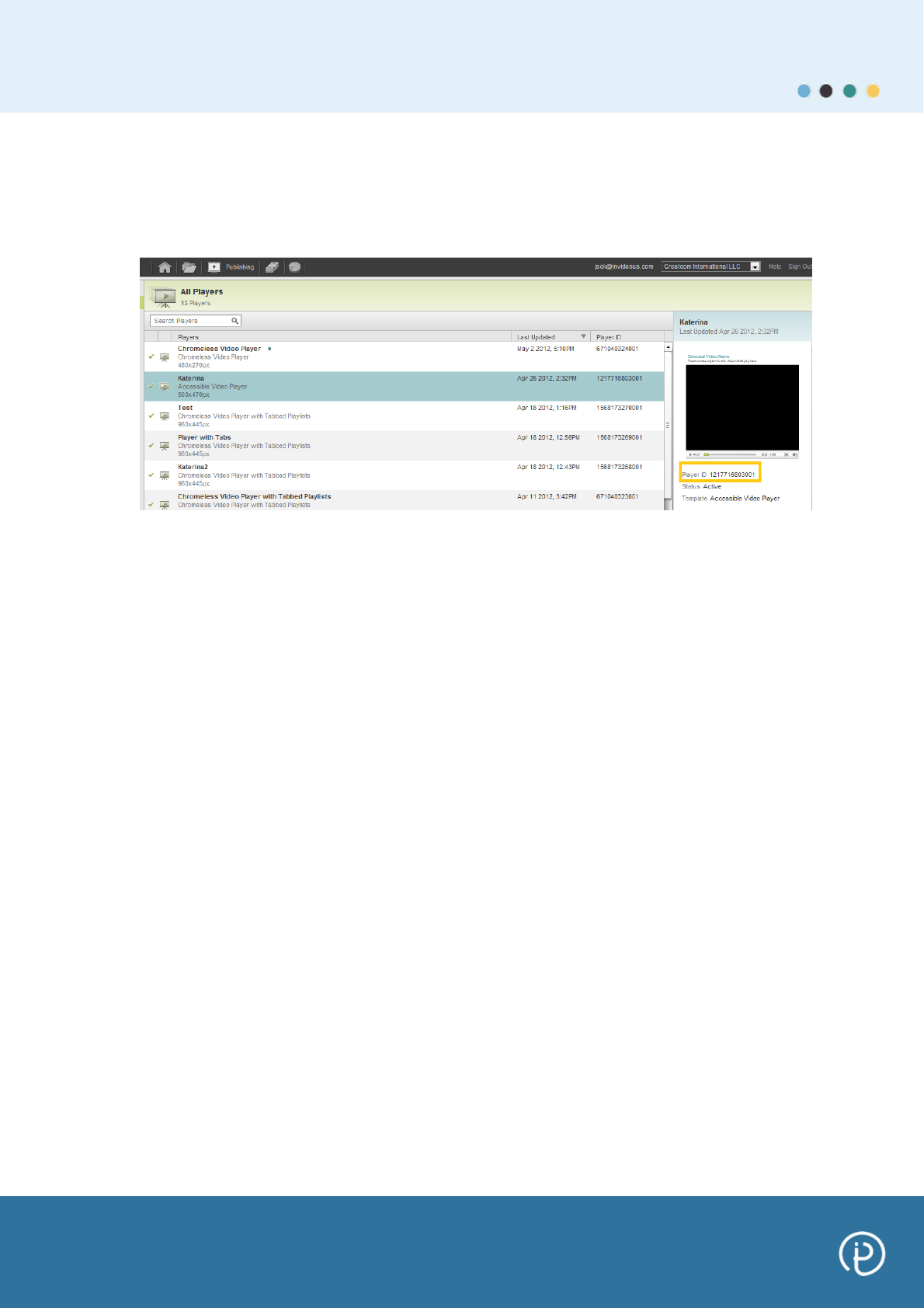
Get your Brightcove Player ID
In the Publishing Tab you can see all your players. Click on the desired
player and see the Player ID as it is shown in the picture below.
Copy and paste your Brightcove Publisher ID, API Read Token and Player
ID into your InPlayer account – see image (Step 6).
Step 9: Once the InPlayer plug-in URL has been added in the Brightcove
Control Panel and the Brightcove Publisher ID, API Read Token and Player
ID have been added to the InPlayer control panel, click save and the
accounts will synchronize.
Your Brightcove videos will now be visible within your InPlayer account
(See Control Panel: Manage Videos section).
Step 10: Embedding single video from Brightcove.
Once you add the InPlayer plugin in the Brightcove player, you can embed
single videos in 2 steps.
Go to the Publishing tab in your Brightcove account and select one video.
In the right section of the video you can find settings parameters for that
specific video. Click on the ‘Quick Video Publish’ button. Under the ‘Select
a Player’ you will see a drop down menu with listed players. Choose a
player that is integrated with the InPlayer plugin.
Comentarios a estos manuales